Unified scan, 3D donut
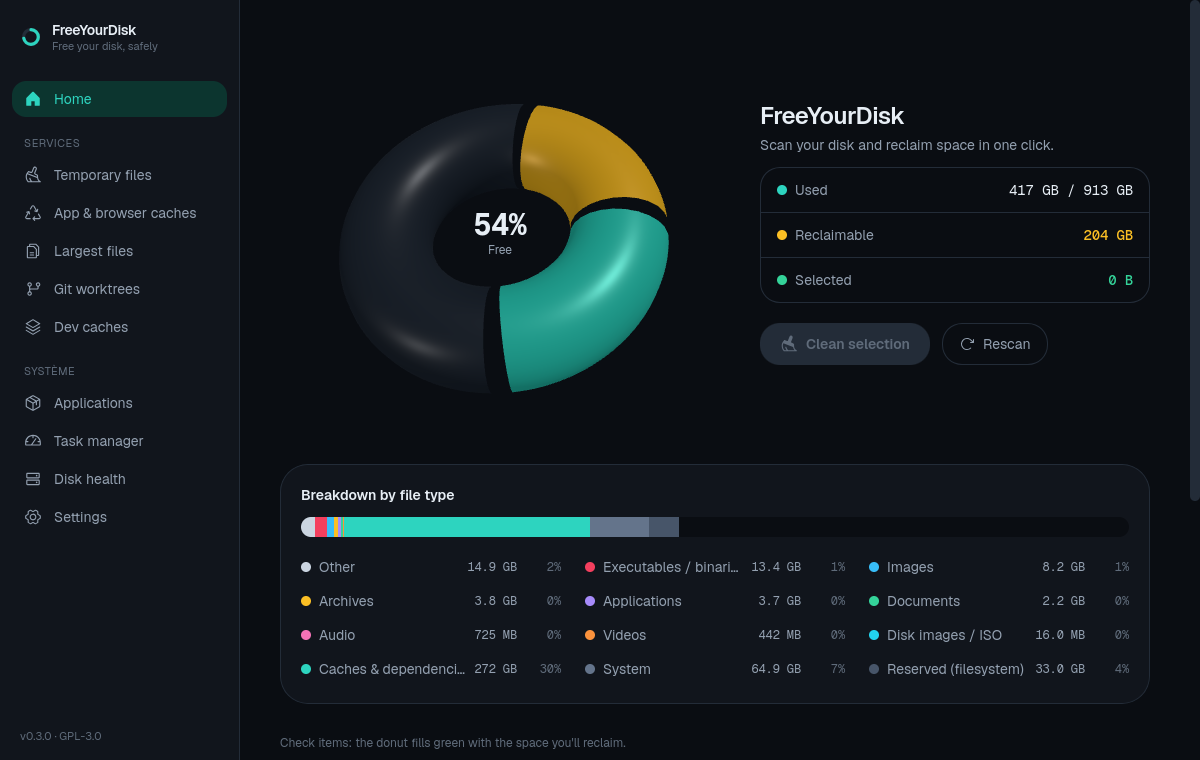
One click runs every scan and the file-type breakdown. A 3D donut shows used, reclaimable and free space — the green layer grows as you tick items.
A cross-platform desktop utility for Linux, macOS and Windows that scans your disk and reclaims space without risk — caches, large files, applications, task manager and disk health, around a 3D usage donut. Trash by default, zero blind deletion.
// What it does
From the 3D donut to the emergency task manager: every category is measured accurately and every action is reversible.
One click runs every scan and the file-type breakdown. A 3D donut shows used, reclaimable and free space — the green layer grows as you tick items.
Temporary files, large files, stale git worktrees, dev caches (node_modules, target, .next…) and regenerable app & browser caches.
An application inventory ranked by space — apt / flatpak / snap / AppImage on Linux, the registry & Microsoft Store on Windows — updates surfaced on open, batch uninstall and update. Essential system components are protected.
Real-time CPU / RAM / swap graph, per-core utilization heatmap, temperature, a sortable process table, and an emergency “kill the biggest hog.” Configurable global hotkey.
Per-disk SMART via nvme-cli (NVMe) or smartctl (SATA) — health, power-on hours, temperature — with real-time throughput graphs. Missing tools install in one click for your distribution.
Read-only scans, a preview before deletion, trash by default, a zone whitelist, and git actions that never touch uncommitted work.
// Preview
3D usage donut and a whole-disk breakdown by file type.
// Safe by design
A disk cleaner should never lose your data. FreeYourDisk is built around invariants the tests enforce.
Scanning never modifies the filesystem — enforced by tests.
Every deletion shows an exact preview (count, size, destination) and requires confirmation.
Files go to the recoverable XDG trash; permanent deletion is an explicit choice.
Deletions are validated against allowed zones; symlinks escaping them are refused.
Git actions never remove a worktree that has uncommitted changes.
The UI runs unprivileged; a minimal Polkit helper covers the rare need for root. The WebView never runs as root.
// Download
Free and open-source. Pick the format for your system.
macOS · Apple Silicon (unsigned)
Windows 10 / 11 · installer
macOS and Windows builds are unsigned: on macOS, right-click the app › Open; on Windows, click “More info” › “Run anyway”.
nvme-cli, smartmontools.Release notes & checksums// Questions
Linux, macOS and Windows. On Linux: a universal AppImage plus native .deb (Debian, Ubuntu) and .rpm (Fedora, RHEL) packages. On Windows: an installer (Windows 10/11, x64). On macOS: an Apple Silicon build. The macOS and Windows builds are unsigned betas for now.